 Money Hamster

Coffee four fifty, and a taxi twelve yesterday
Status LOGGEDSay it. It's tracked. SAY IT. IT'STRACKED.
- TODAY COFFEE CAFÉS 4.50 LOGGED Coffee, cafés, 4.50, today, logged
- YDAY TAXI TRANSPORT 12.00 LOGGED Taxi, transport, 12.00, yesterday, logged
Join the iPhone betaMoney Hamster is in beta on TestFlight. Voice entry is an early beta for iOS 26, open to a small group of testers; everything else runs on iOS 18 and later.
Request a beta invite- 3taps by hand
- 0bank logins
- 0bytes of audio sent
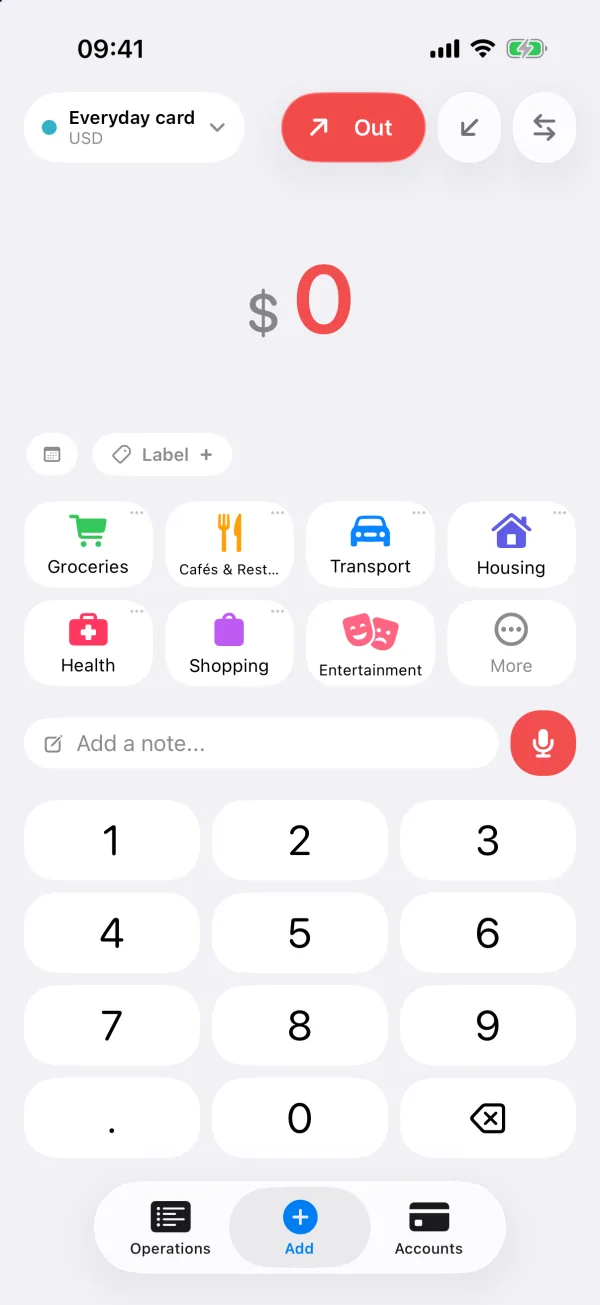
Say it. Check it. Done.
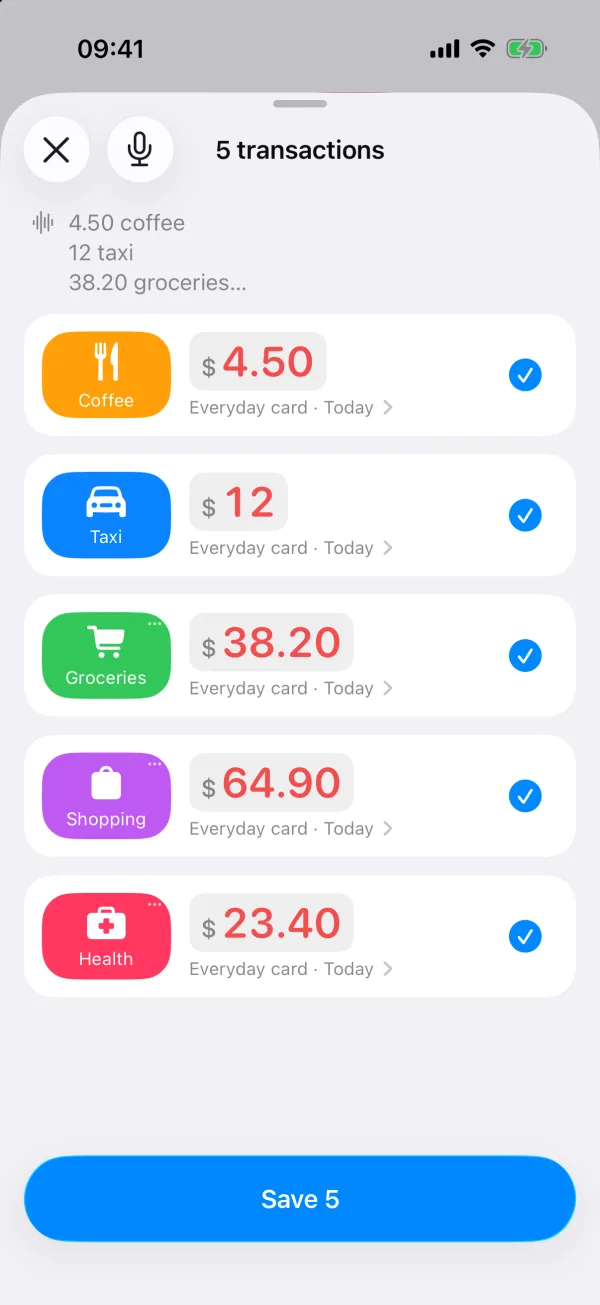
One sentence can hold a whole afternoon of spending. Money Hamster splits it into entries and hands them back for a look before anything is saved. No receipts to keep.
-
1
Say it
Tap the microphone and say what you spent: one thing or five. Speech becomes text on your iPhone, and the audio never leaves it.
-
2
Check it
Every amount comes back as a row with its category, account and day. Fix anything with a tap, or say it again.
-
3
Done
Save, and the entries are in your history, your budgets and your balances. Rather type? Amount, category, done: three taps.
Voice entry is in an early beta and needs iOS 26. Everything else runs on iOS 18 and later.

The real app
Screens from the current beta: drag or flick through them. On the Home Screen the app is called MoneyTrack.
-
Quick AddAmount, category, done. Money out, money in, or a transfer. -
Voice, checkedA sentence becomes a list you confirm. -
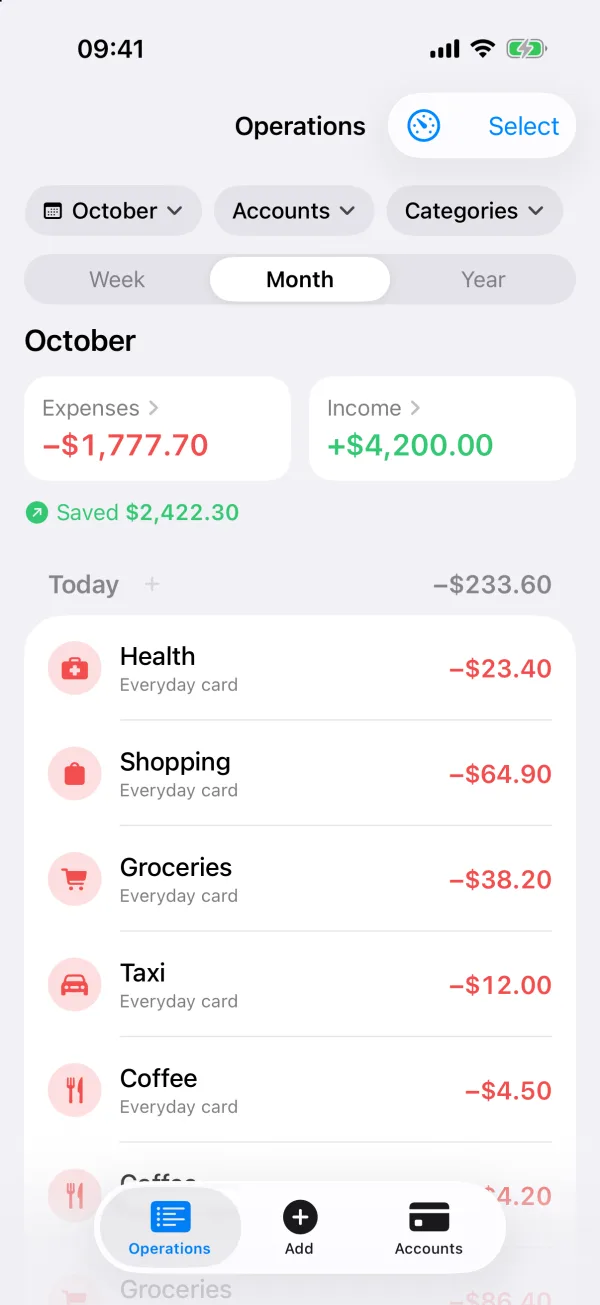
OperationsWhat went out, what came in, what you kept. -
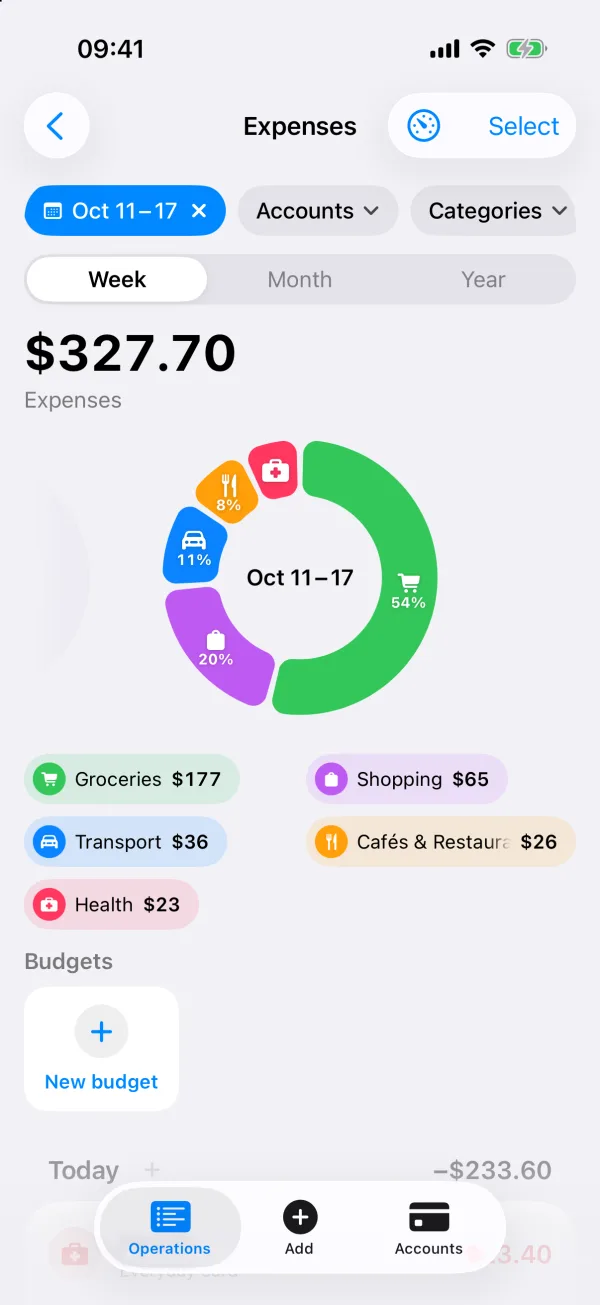
Where it wentThis week's spending, ring by category. -
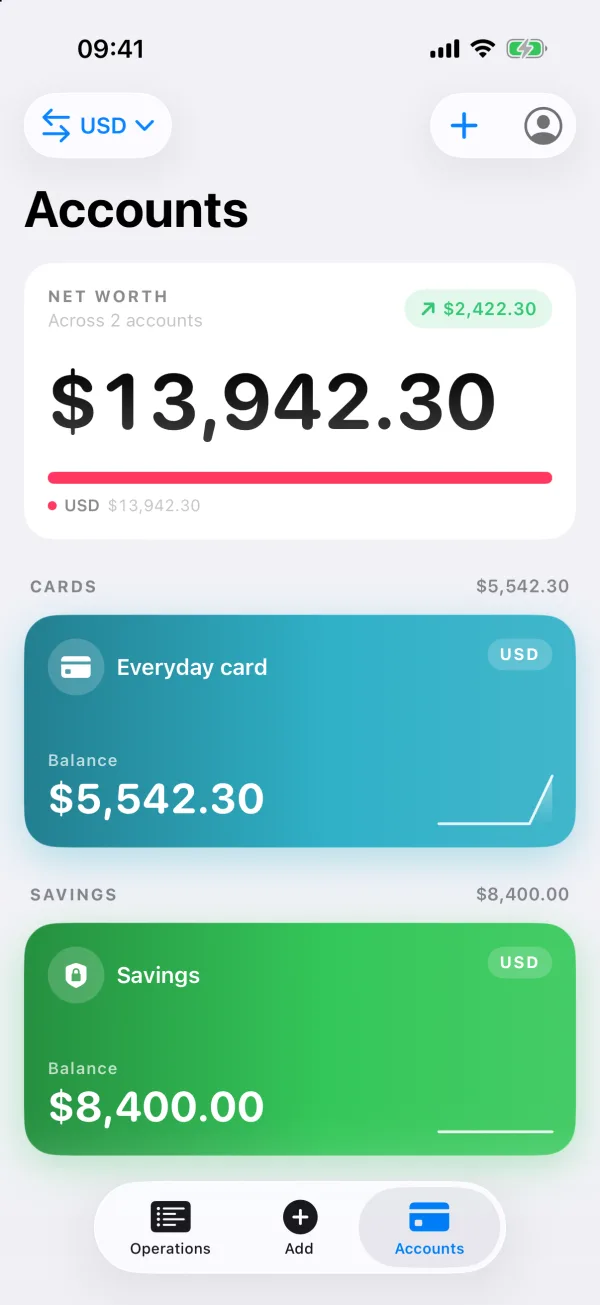
AccountsCards, cash and savings in any currency, net worth on top.
Sample data on a test device.
Know what's left
Give a category a monthly or weekly limit and see how much of it is left, before the month decides for you.
- GROCERIES 223.00 LEFT Groceries: 223.00 left
- TRANSPORT 64.00 LEFT Transport: 64.00 left
- CAFÉS 6.20 OVER Cafés: 6.20 over the limit Sample budgets. The board turns red for one thing only: a limit you've gone past.
Nothing to connect
Without an account, your records never leave your iPhone. An account only adds sync between your devices, and you can delete it, with everything in it, from inside the app.
Read the privacy policy- BANK LOGINS NONE Bank logins: none
- IMPORTS NONE Statement imports: none
- AUDIO SENT NONE Audio sent: none
- ADS, TRACKERS NONE Ads and trackers: none
- ACCOUNT OPTIONAL Account: optional
Join the beta
Ask for an inviteTesters join through TestFlight in small groups. Write to us and ask for an invite; voice entry needs iOS 26.
Request a beta invite